Firmware updates are normally not the most exciting part of diving. A few bug fixes, perhaps another display option, maybe a planner improvement.
Suunto Nautic firmware 2.55.46 is different.
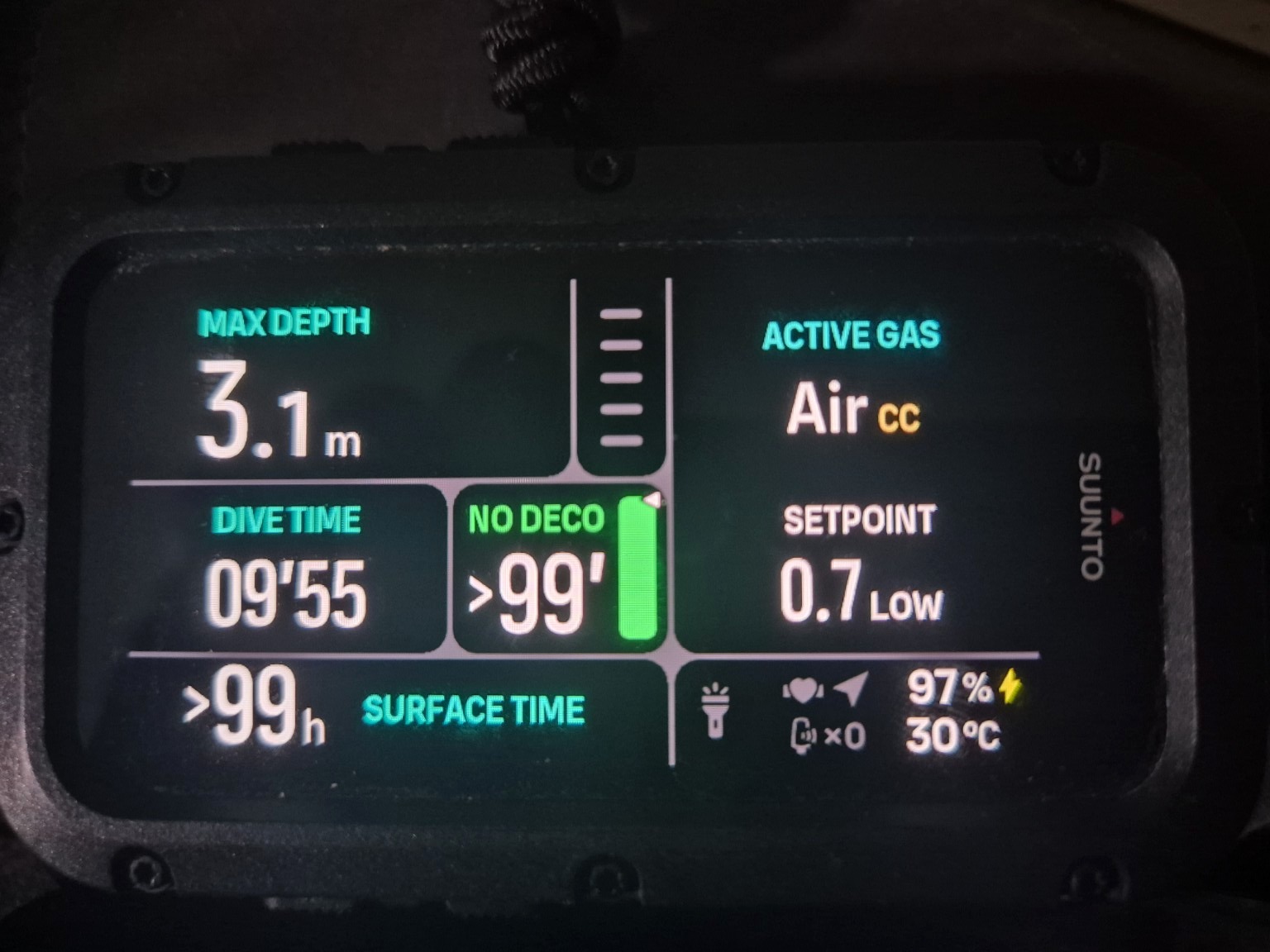
The update adds a dedicated CCR dive mode. Suunto officially lists CCR diluent and bailout gases, an increase from five to eight gases, automatic and manual CCR setpoints, automatic setpoint changes, setpoint alarms, CCR switch-window elements, CCR items in the dive summary, and support for an active Trimix mixture containing less than 18% oxygen at the surface in CCR and Multigas modes.
We installed the update on our own Nautic and started exploring. This article separates what Suunto officially documents from what we could physically verify on the computer in our hands.
What the new CCR mode is
The Nautic's new mode is best understood as CCR decompression support. The diver configures closed-circuit gases, bailout gases and setpoints in the computer.
The Nautic does not become the rebreather controller. It does not replace the CCR's own oxygen sensors, electronics, solenoid or unit-specific procedures. That makes it particularly interesting as an independent decompression computer alongside a CCR's primary electronics.
The real CCR setup is hiding under Gases
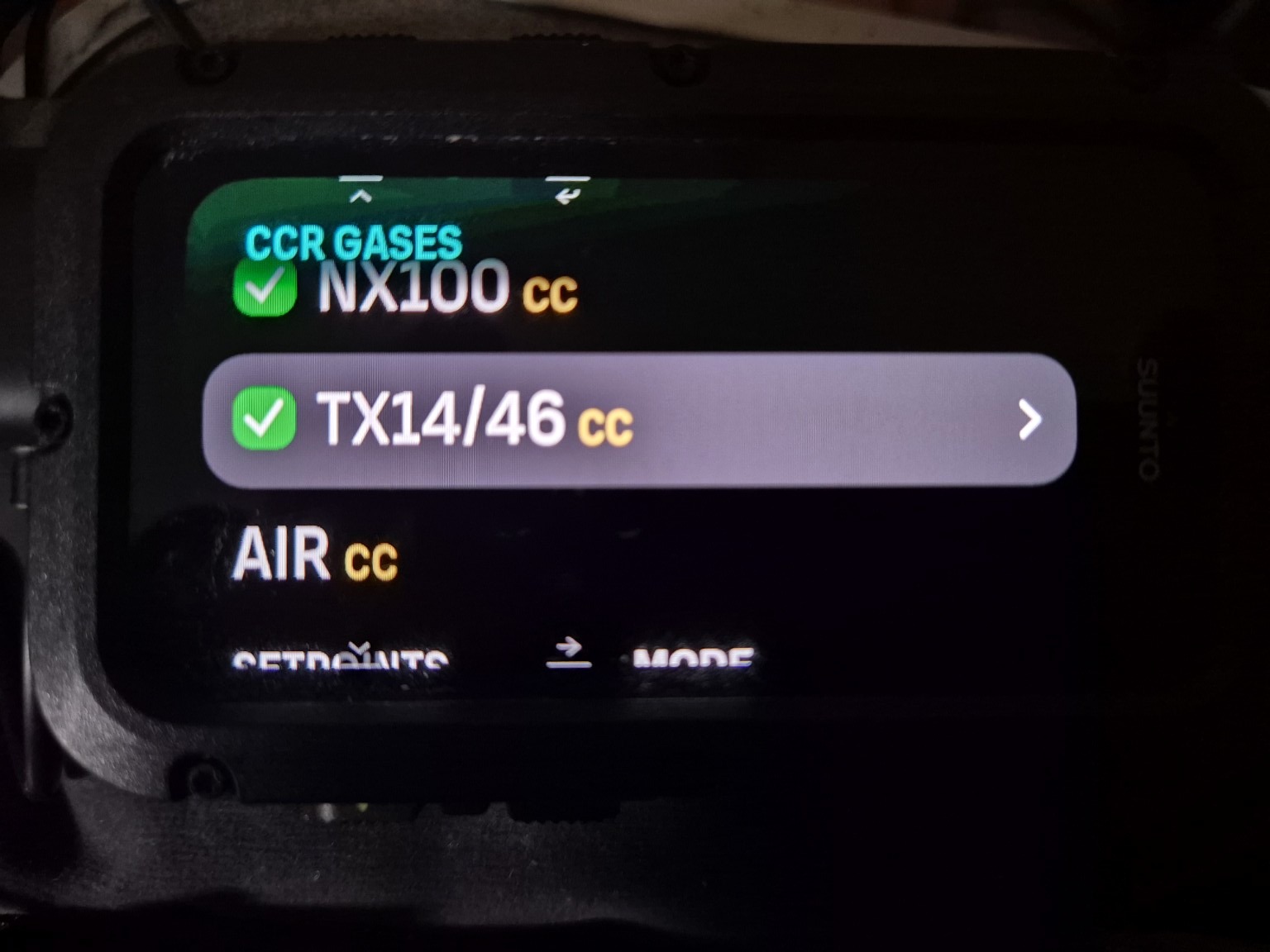
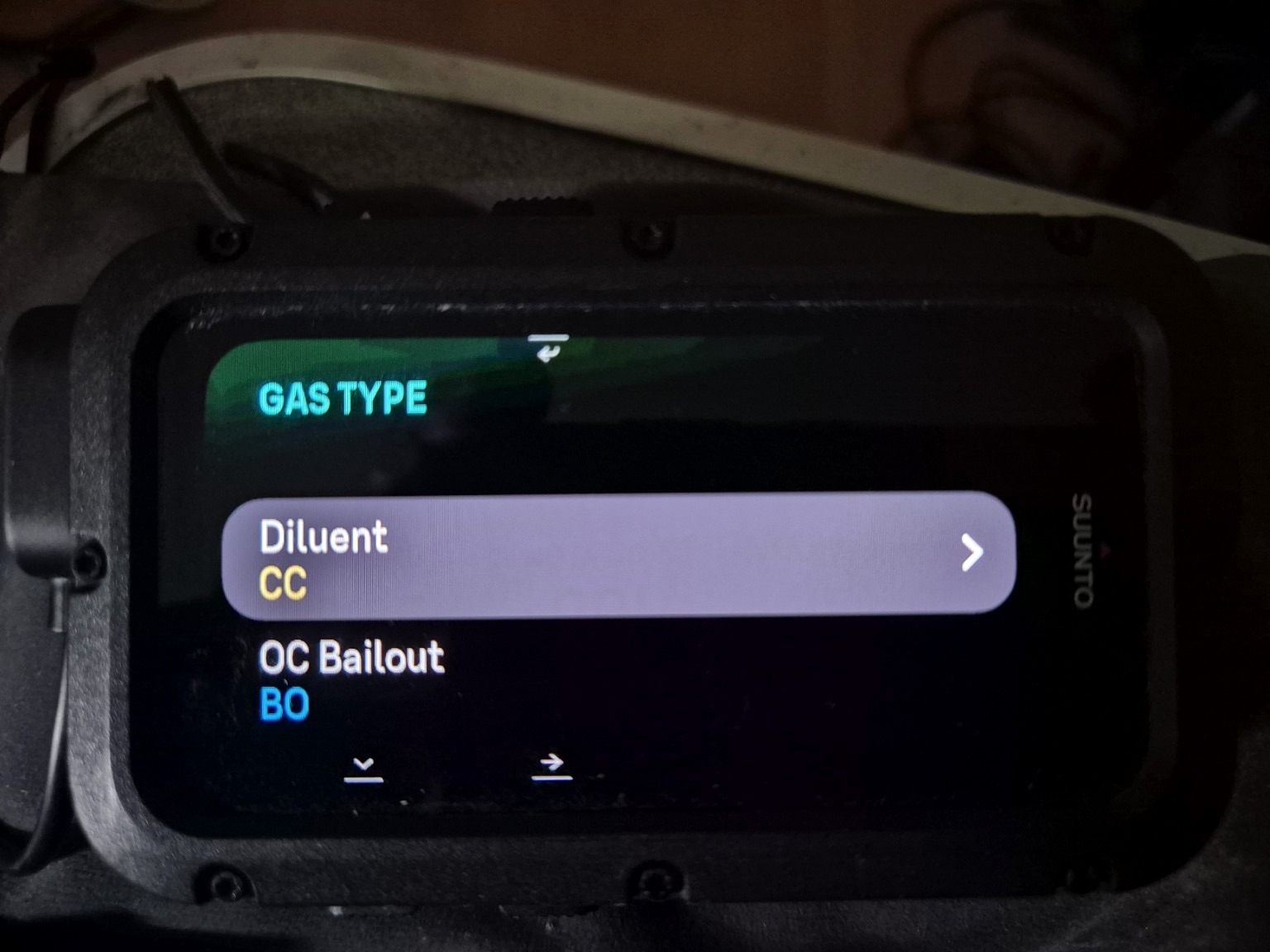
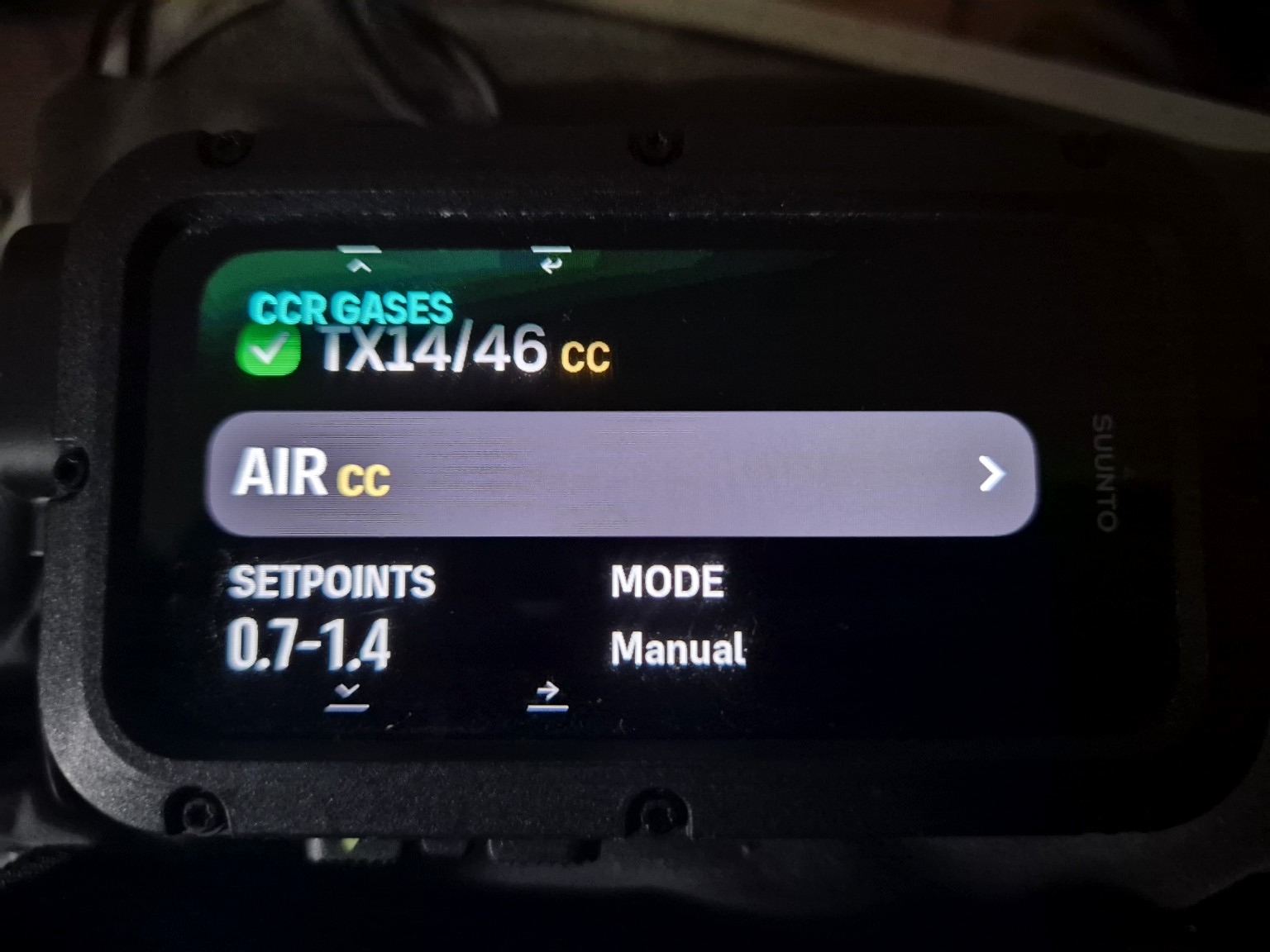
One of our first practical discoveries was where much of the new functionality lives: inside the gas configuration. The CCR gas list clearly marks gases with CC, while the gas-role selector explicitly offers Diluent CC and OC Bailout BO.
That distinction is visible directly on the Nautic; it is not something we inferred from the gas names.
Proper hypoxic Trimix support
One line in Suunto's release notes is especially important for technical divers: firmware 2.55.46 allows an active <18% O₂ Trimix mixture at the surface in CCR and Multigas modes.
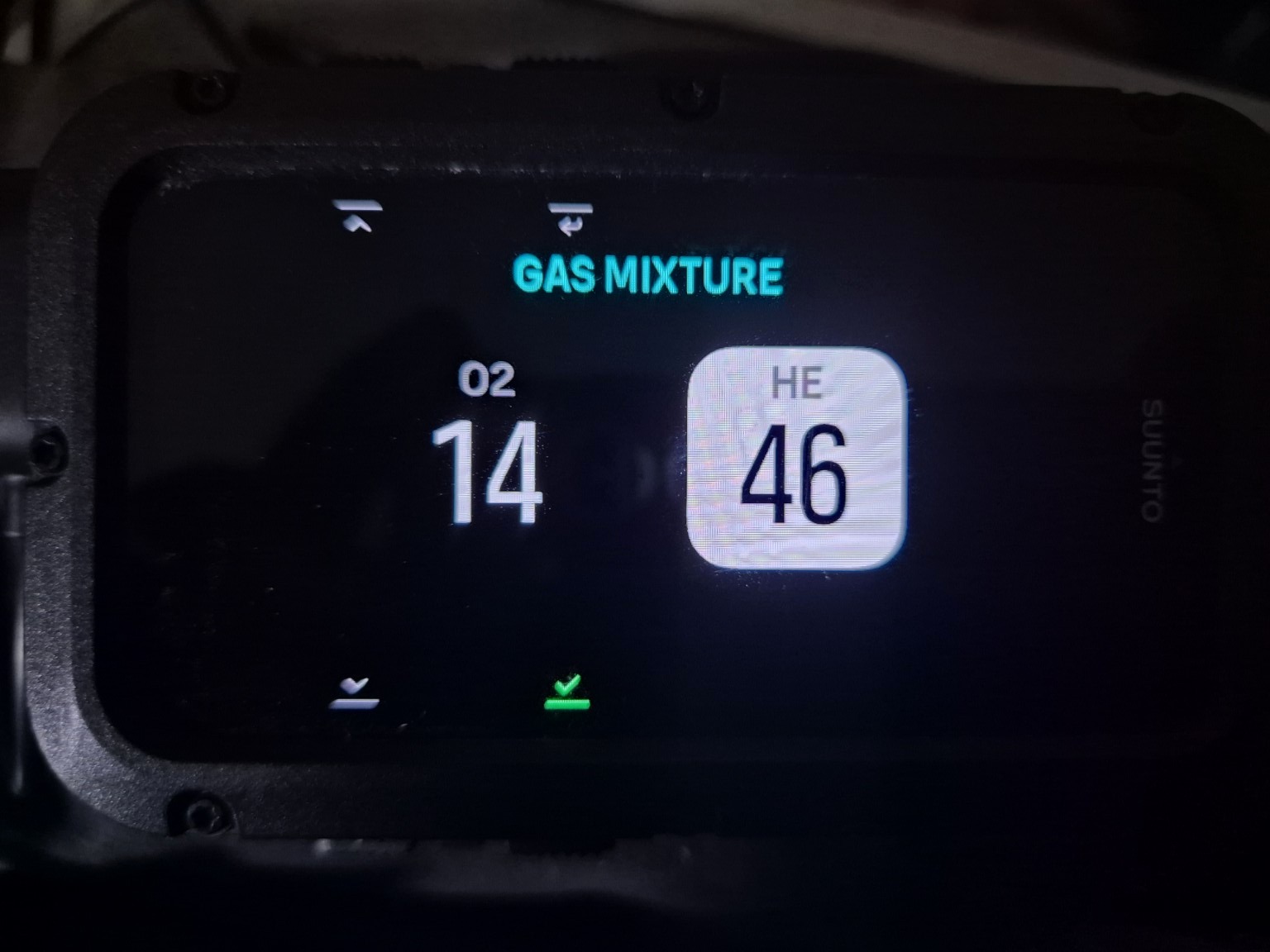
We tested it directly. Our Nautic accepted TX14/46 CC — 14% oxygen, 46% helium and the balance nitrogen. This is genuine hypoxic Trimix territory rather than a CCR mode restricted to Air or recreational Nitrox.
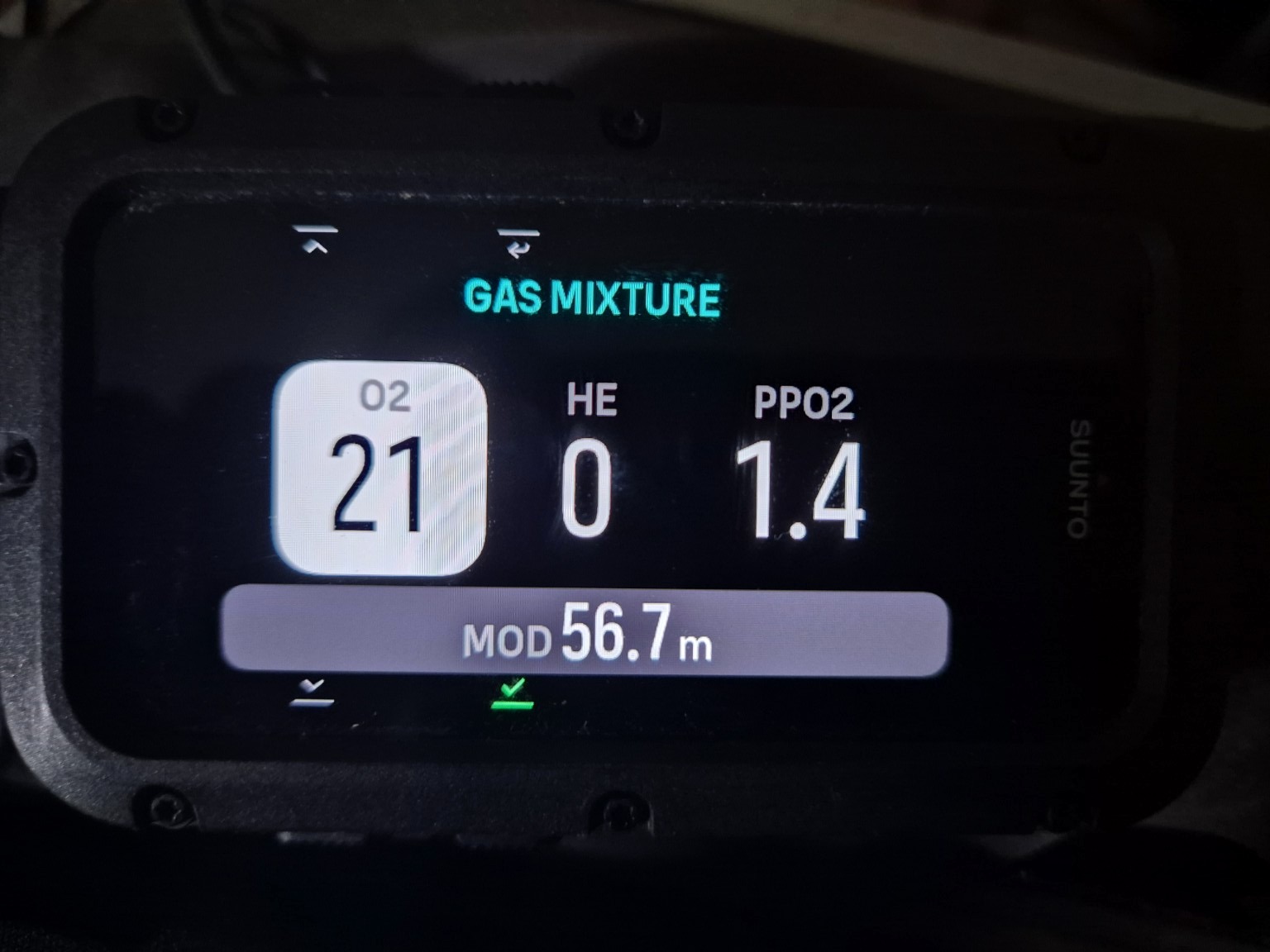
The gas-mixture editor lets the diver adjust oxygen and helium fractions and displays PPO₂/MOD information. In our photographed Air example, 21% oxygen at a PPO₂ limit of 1.4 gives an MOD of 56.7 m.
CCR setpoints — automatic and manual
Suunto officially provides both automatic and manual CCR setpoint settings.
During our menu exploration we used example values including a low setpoint of 0.7 and high setpoints of 1.3/1.4 while testing the interface. We also configured switch depths such as 2 m and 20 m. These are test settings, not recommendations for another diver or rebreather.
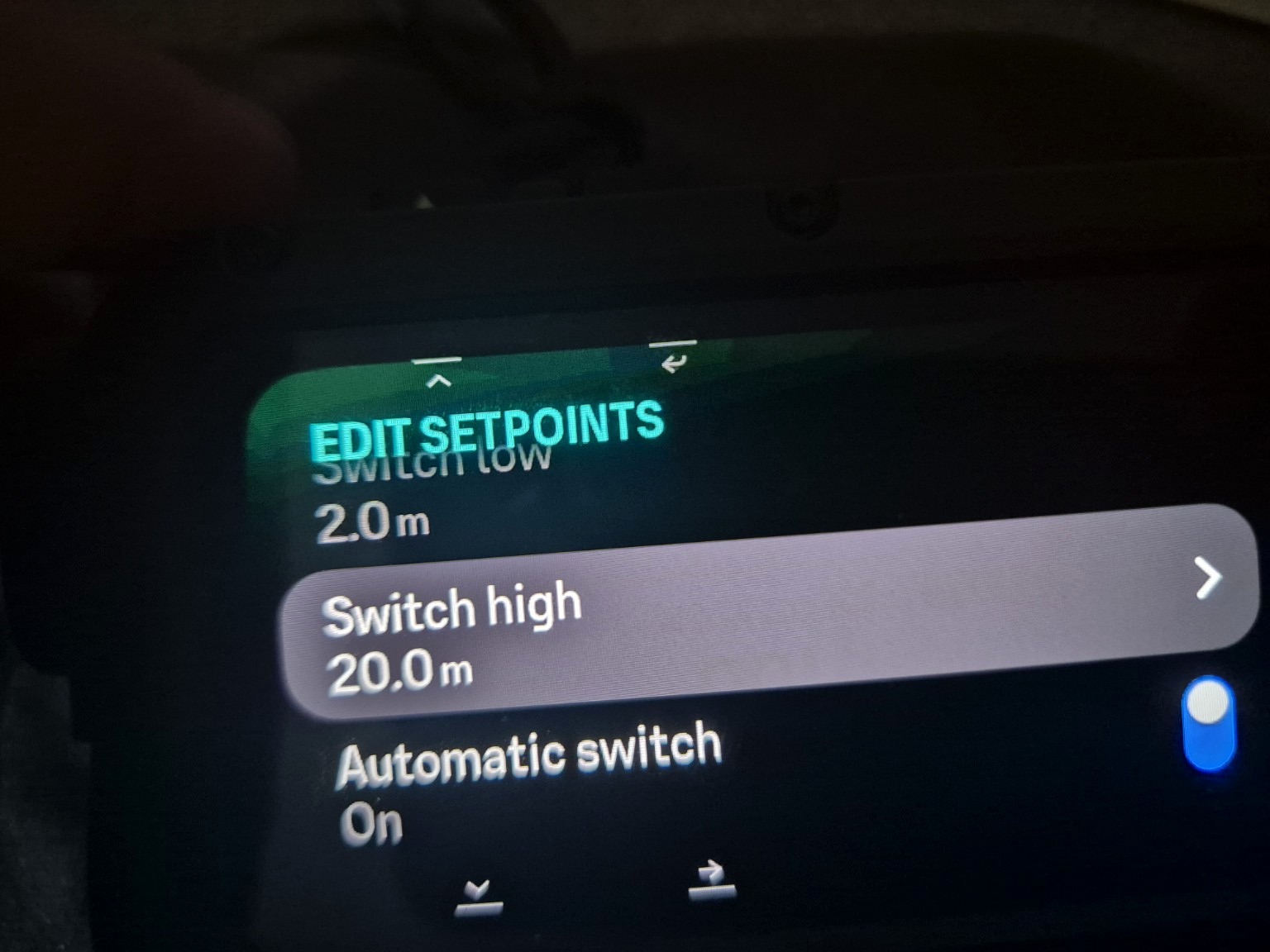
With automatic switching enabled, the Nautic can change setpoint according to the configured depths. Suunto also lists setpoint alarms among the new in-dive CCR functions.
One question remains: what is the quickest manual Low ↔ High setpoint change during an actual dive? We have not yet verified the exact underwater shortcut, and we will not invent a button combination simply to make the article look complete.
Bailout is built into the CCR architecture
The dedicated OC Bailout BO gas role confirms that bailout is not merely an afterthought. Suunto officially lists the ability to add CCR diluent and bailout gases.
The Nautic also offers Bailout TTS as a selectable CCR information field in the switch-window system. For a CCR diver, that is a meaningful distinction: it is one thing to know the decompression picture while remaining on the loop, and another to ask what the route to the surface looks like after leaving it.
The exact CC-to-OC bailout workflow during a real dive remains on our test list.
The hidden star: one CCR screen, many custom views
This may be our favorite discovery.
The new CCR information is integrated into the Nautic's existing switch-window architecture. The main dive information stays visible while the diver cycles through the customizable information area.
Suunto's current Nautic guide states that switch-window views can be customized and that up to 10 views can be added. Some can use a double-field layout, while items such as Compass and Tissues use the large-field format.
- TX14/46 + Setpoint
- Compass
- CNS / OTU + Setpoint
- Tank Pressure + Setpoint
- Ceiling + Bailout TTS
- PPO₂ / MOD + Active Gas
- Gas Consumption + Active Gas
- Time to Surface + Ascent Speed
- Tissues
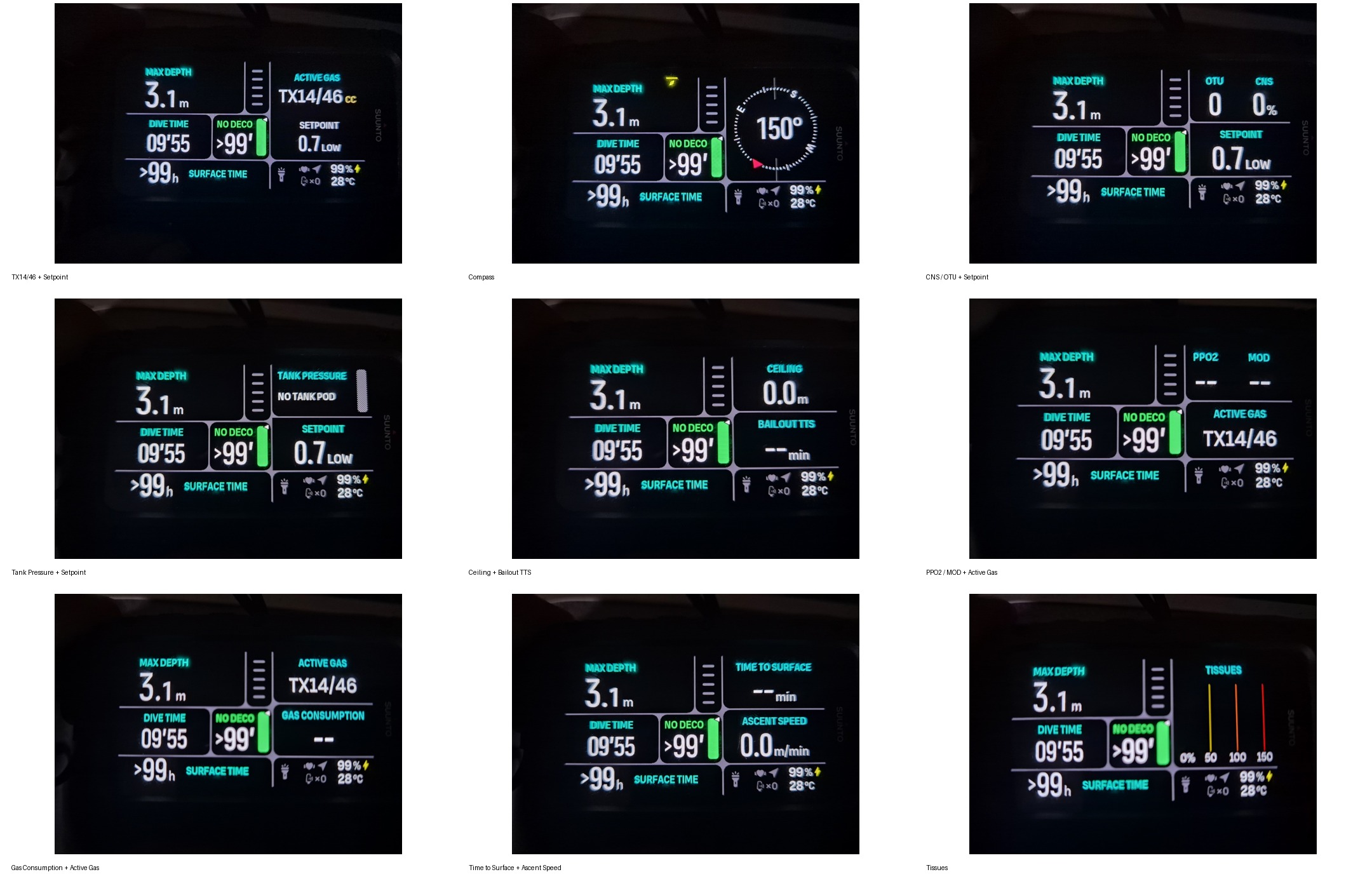
That makes the implementation feel much more mature than a single fixed “CCR screen.” A diver can decide which information deserves to be one button press away.
Oxygen exposure
CCR diving makes oxygen-exposure information particularly relevant. The Nautic can place CNS % and OTU directly into the switch-window cycle, allowing oxygen exposure to be monitored as part of the normal dive display rather than buried in a post-dive summary.
Tank pressure and gas consumption
The CCR display can incorporate the Nautic's tank-pressure information. We were able to create a view combining Tank Pressure + Setpoint. The computer also offers a Gas Consumption field. Cylinder size therefore matters when the Nautic is calculating consumption from pressure data.
Cylinder sizes: from tiny CCR bottles to twinsets
The cylinder-size menu turned out to be surprisingly extensive. In our hands-on scroll through the menu we photographed sizes including 1, 1.5, 2, 3, 4, 5, 5.7, 7, 8.5, 10, 11.1, 12, 15 and 18 L, as well as twin-cylinder configurations including 2×7, 2×8.5, 2×10, 2×11.1, 2×12, 2×15 and 2×18 L.
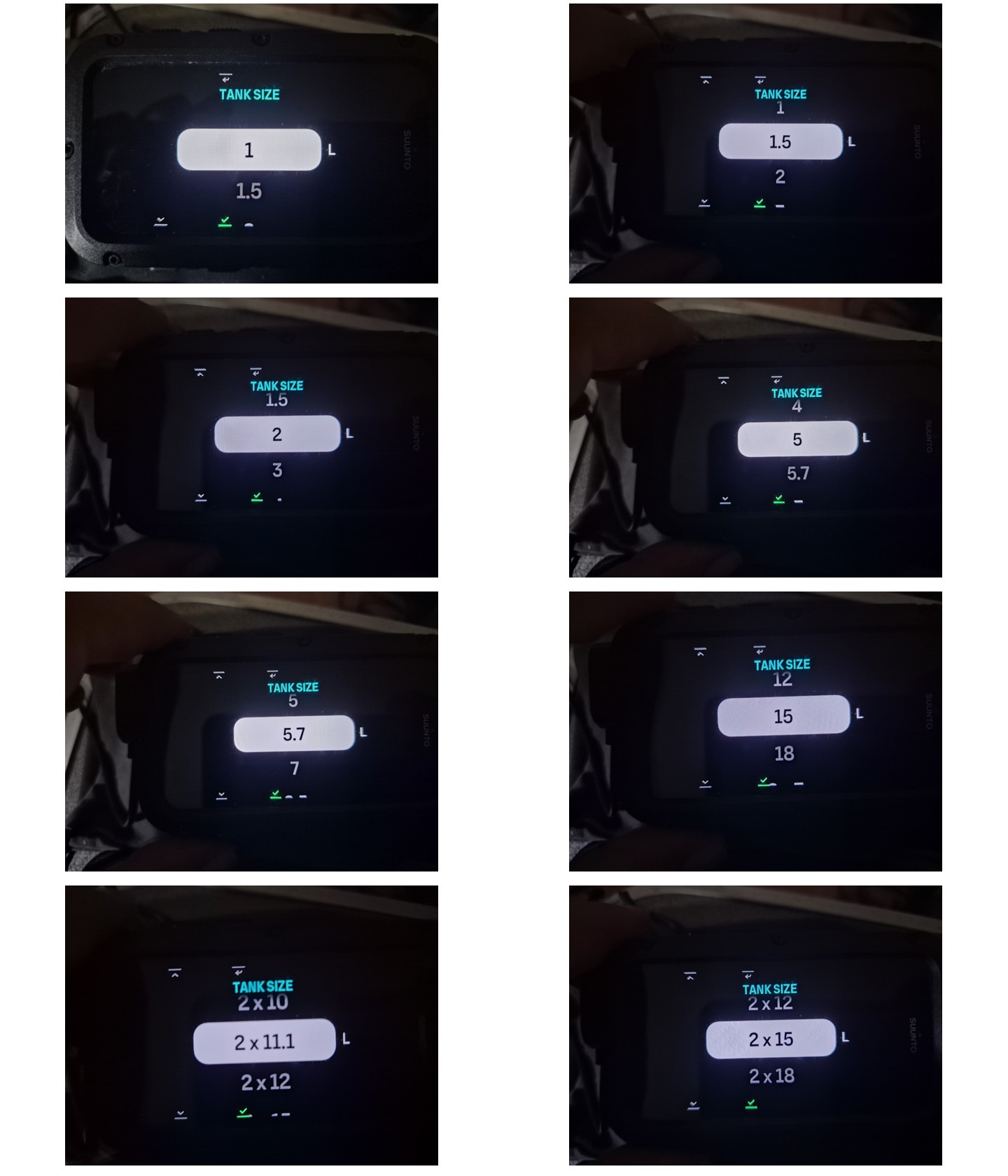
The small sizes are particularly welcome in a CCR context. Suunto has not limited the list to the usual recreational 10/12/15 L cylinders.
And yes, we really did scroll through the cylinder menu and photograph it. Someone had to do it. 😁
Eight gases
Firmware 2.55.46 increases the maximum number of configured gases from five to eight. For technical CCR diving, that extra room matters. A configuration can potentially include oxygen, one or more diluents and several open-circuit bailout/decompression gases.
What we can verify — and what we still want to test
From the Nautic in our hands, we can directly verify the dedicated CCR mode, explicit Diluent CC and OC Bailout BO gas roles, hypoxic Trimix entry including TX14/46, O₂/He gas-mixture editing with PPO₂/MOD information, low/high setpoint configuration, automatic/manual setpoint mode, configurable CCR switch-window information, Bailout TTS as a selectable field, and extensive single and twin cylinder-size choices.
We still want to verify two things in actual dive state before publishing button-by-button instructions: the quickest manual Low ↔ High setpoint change and the exact CC → OC bailout workflow.
First hands-on impression
This is a substantial update. The Nautic already covered recreational and technical open-circuit diving. Firmware 2.55.46 adds a serious layer of CCR decompression functionality without abandoning the large, readable and customizable interface that makes the computer attractive in the first place.
What impressed us most is that Suunto did not merely add the letters CCR. The firmware introduces separate closed-circuit and bailout gas roles, setpoint logic, hypoxic Trimix support, more gas slots, bailout-related information and CCR-specific fields that can be woven into the normal Nautic display system.
Our Nautic just became a much more complete technical-diving computer.
Dear reader — can you help us? 😁🤿
This firmware is new, and we are still learning it. Have you already dived the Nautic in CCR mode? Have you found a shortcut we missed? Do you know the most efficient manual setpoint-change sequence? Have you tested bailout switching or Bailout TTS through a real decompression profile?
Please comment through our social channels or contact us. If you find something we missed — or something we got wrong — tell us. We would rather update the article than pretend we knew everything on day one.
Because this isn't supposed to be the final word. It's divers figuring things out together. 🤗🤿
Safety note
This article documents our hands-on exploration of the Suunto Nautic interface. It is not CCR training and does not replace the current Suunto instructions, the rebreather manufacturer's procedures, appropriate dive planning or unit-specific CCR training. Setpoints, gases and switch depths shown in our photographs are examples from our test configuration and should not be interpreted as recommended values for another diver or rebreather.
Sources
Suunto Nautic Software Updates — firmware 2.55.46
Official Suunto release notes ↗
Suunto Nautic User Guide — Switch window for scuba diving
Official Suunto guide ↗
Suunto Nautic User Guide — Gas consumption
Official Suunto guide ↗